Yodoit Portable Monitor 15.6" FHD 1920x1080P IPS Display | USB-C & HDMI Connectivity, Built-in Speakers, with Smart Cover, for Laptop, PC, Mac, PS3/4/5, Xbox 15.6" 1080P - Testmarket Special Deals
Deals Trends Proviews Blog
Company
Are you a Seller?
Login Sign up
Yodoit Portable Monitor 15.6" FHD 1920x1080P IPS D...

Yodoit Portable Monitor 15.6" FHD 1920x1080P IPS Display | USB-C & HDMI Connectivity, Built-in Speakers, with Smart Cover, for Laptop, PC, Mac, PS3/4/5, Xbox 15.6" 1080P

Product Details
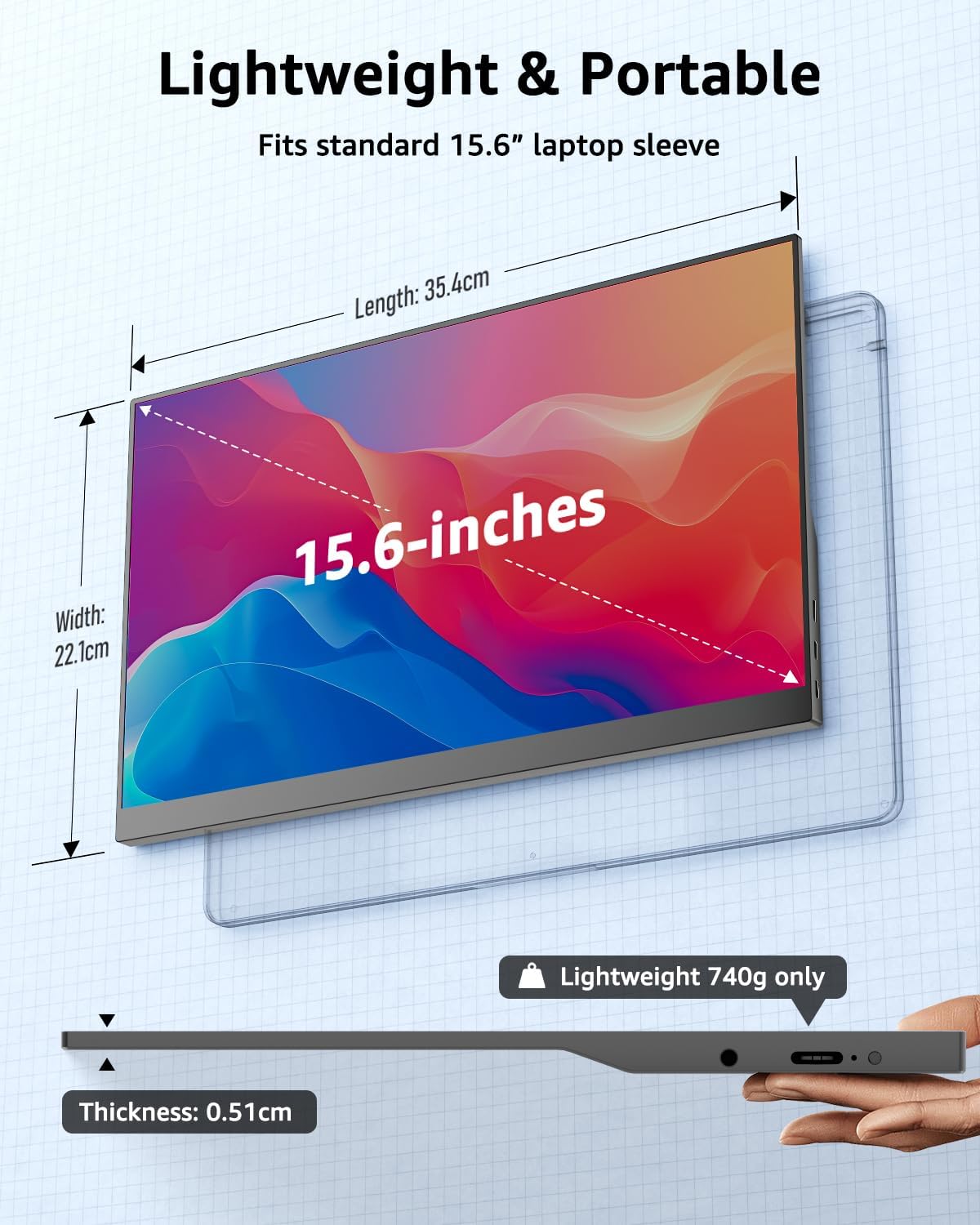
  • 【Ultra-Slim Design for On-the-Go Efficiency】 Boost your productivity anywhere! At just 1.63 lbs (740g) and a mere 0.2" (0.51cm) thickness, this 15.6" portable monitor is designed for business travel and remote work. It fits effortlessly into any laptop bag, providing a seamless dual-screen setup to enhance multitasking at home, in the office, or at a cafe
  • 【Stunning 1080P FHD IPS Visuals】 Equipped with a premium 15.6-inch Full HD (1920x1080) IPS panel, this external screen delivers vibrant colors and a wide 178° viewing angle. The integrated anti-glare technology and eye-care blue light filter ensure a comfortable viewing experience, reducing eye strain during long working hours or gaming sessions
  • 【Seamless Plug-and-Play Integration】 Experience hassle-free connectivity with no drivers required. Using the "One-Cable" solution, you can transmit video, audio, and power via a single Full-Featured USB-C port. For older devices, the Mini HDMI port provides a reliable connection, making it instantly ready for presentations or entertainment
  • 【Wide Device Compatibility】 Designed for versatility, this monitor works flawlessly with PC, Mac, Laptops, and Smartphones. It is also a perfect companion for gaming consoles, including Switch, Xbox, and PS4/PS5 via USB-C or Mini HDMI. (Note: Mobile phones' output port must support DP Alt or HDMI Alt)
  • 【Critical Port & Cable Requirements】 To ensure optimal performance, please verify your device specifications: ① Port Requirement: The USB-C port on your device MUST support DP Alt Mode or HDMI Alt Protocol for video transmission. ② Cable Specification: Always use a Full-Featured Video C2C Cable (included); standard phone charging cables are not compatible. ③ Power Supply: If the screen flickers or remains black, please connect an external 5V/2.4A (or higher) power source, as some mobile devices may not provide sufficient output
Promotions
Deals Promotions Deals Promotions Deals Promotions
Promote Your Deals

Coupons, and Products on our website now.

apply now
Deals Promotions Deals Promotions
Explore Products

Coupons, and Products on our website now.

apply now
go top icon

Cookies Policy

We use cookies to improve your browsing experience on our website. By continuing to use this site, you agree to our use of cookies.

Privacy Policy